Every department page tells a story before anyone reads a single word. When the images are mismatched-different crops, clashing backgrounds, photos taken years apart-it signals disorganization. A coordinated approach to department headshots fixes that problem at the source and gives every person on your team a portrait they can actually use.
Key Takeaways
- Consistent department headshots across university websites, office directories, and internal systems build instant credibility with students, clients, and partners.
- Faculty and staff headshots support hiring, fundraising, and student trust, especially as expectations for polished digital presence grow through 2026 and beyond.
- A well-planned headshot day reduces disruption while giving every person professional headshots they feel happy about.
- Clear standards for lighting, framing, attire, and backgrounds keep departments looking unified even across multiple campuses or offices.
- A designated coordinator, simple workflows, and a defined approval process are essential for smooth scheduling, delivery of final images, and long-term file management.
What Are Department Headshots and Why They Matter Now
Department headshots are coordinated professional photos produced for a specific team, academic unit, or office group in a single organized session or a set of closely matched sessions. Unlike ad-hoc portraits snapped at different times with different photographers, these images share standardized framing, consistent backgrounds, and uniform file naming so they slot cleanly into university websites, intranets, recruiting brochures, and marketing materials.
Think of a biology faculty directory where every profile uses the same sternum-up crop against a neutral gray backdrop, or office headshots for a New York law firm’s partner page where lighting and color temperature match across forty individuals. Staff headshots for a hospital HR portal follow the same logic: when the visual language is unified, the department looks organized and intentional.
By mid-2026, students, clients, and partners expect to see professional headshots on profile pages, research portals, and internal collaboration tools. Department-specific headshot styles reflect the unique roles within a company or institution, and that specificity matters. Typical use cases extend well beyond a single web directory: grant applications, conference speaker bios, ID badges, email signatures, LinkedIn updates, and printed reports all draw from the same image set. Professional headshots enhance a company’s digital presence across platforms, and headshots humanize brands by creating personal connections with clients and collaborators before anyone shakes a hand.
Benefits of Consistent Faculty and Staff Headshots
Consistent faculty and staff headshots help people quickly understand who does what and build trust at a glance. When every portrait shares the same crop, similar lighting angles, and matching backgrounds, the department avoids the “patchwork” look that makes a website feel neglected. Cohesive headshot styles unify a department’s image and highlight collaboration rather than fragmentation.
Professional headshots establish credibility for companies and academic units alike. A polished set of images suggests organized leadership, reliable services, and a forward-thinking culture. Consistent headshot styles promote team unity and cohesion-something that matters both externally and internally. New hires and students can recognize colleagues more easily, and collaboration across campuses or distributed offices becomes smoother when everyone can put a face to a name.
High-quality photography increases employee pride and morale, and high-quality headshots improve employee approachability and trust. Team headshots strengthen LinkedIn profiles and visibility for employees, which matters because hiring managers use LinkedIn to screen applicants, and a great headshot improves your chances of getting hired. Professional headshots can be used on CVs and portfolios, helping individuals establish a personal brand for professionals at every career stage. Consistent headshots align with brand guidelines across platforms, so one shoot can serve many systems-university websites, internal directories, external press kits-reducing repeated sessions and saving the department both time and budget.
Planning a Successful Headshot Day for Your Department
Treat headshot day like a small event rather than a quick errand. The difference shows up in participation rates, image quality, and how few complaints you field afterward.
Start planning four to eight weeks in advance for departments with twenty to eighty people. Confirm the date well before busy periods-August onboarding, January term start, fiscal year-end, and major conferences all tend to tank turnout if you schedule against them. Assign one coordinator, typically a department administrator or communications lead, to handle sign-ups, send reminders, and manage day-of logistics.
For scheduling, headshot sessions usually take about three to five minutes per person once lighting and background are set. Build ten- to fifteen-minute buffers per hour for overruns, and block separate windows for leadership or visiting scholars who may need extra poses. Corporate headshot packages can accommodate groups of five or more, which makes on-site sessions far more efficient than sending individuals to separate studios. Create sign-up sheets organized by group-faculty, staff, graduate assistants-so people pick a slot and avoid lines.
A few practical details that save hassle:
- Allow reschedule slots for anyone who is sick, traveling, or unable to attend the primary date.
- For remote or satellite staff, consider a second headshot day at another location or a follow-up date to keep imagery consistent across campuses.
- Remind everyone to arrive on time for their scheduled headshot session; even small delays cascade across a packed schedule.
Office headshots can cost between $89 and $1,500 depending on the photographer, city, and deliverables. At scale, per-person rates drop significantly. Faculty and staff headshots are free at some universities that maintain in-house photography services, so check whether your institution already offers this before allocating budget externally. If your department needs an experienced photographer in the New York area, Headshots by Gareth can work with you to find a schedule and structure that fits.

Space, Lighting, and Background Choices
Physical setup affects how polished department headshots look more than camera gear does. Here is what to keep in mind when choosing and preparing your site.
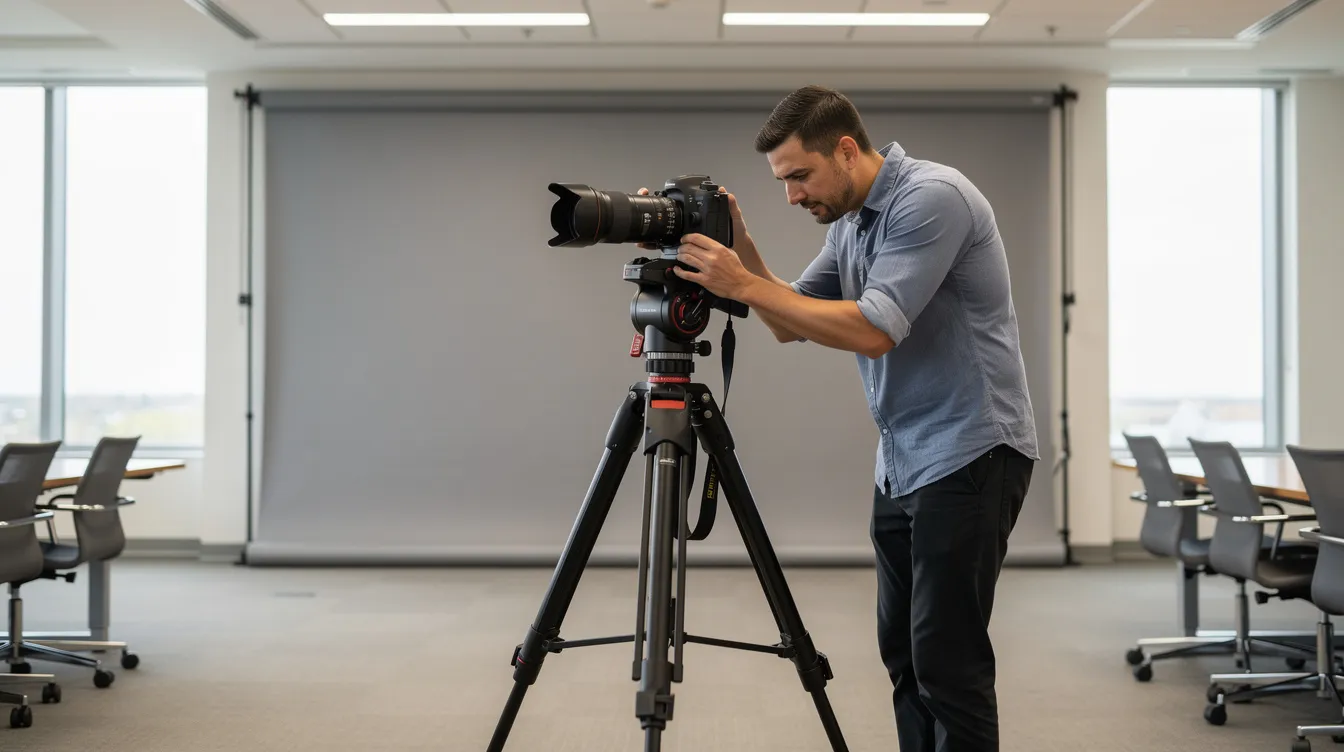
For space, aim for a room roughly ten by twenty feet at minimum-a conference room, classroom, or wide hallway works. Ceiling height of nine feet or more helps when overhead or hair lighting is needed. Tighter spaces can work with careful planning, but cramped quarters limit backdrop options and make subjects feel rushed.
For lighting, the priority is soft, even illumination. Using soft, directional lighting in headshots avoids harsh shadows and keeps skin tones natural. Overhead fluorescents should be turned off or supplemented with studio lights. A standard three-point setup-key light, fill light, and rim light-creates depth and separation from the background. Standardized lighting and backgrounds help maintain brand cohesion in headshots across every person photographed that day.
For backgrounds, neutral backdrops like white, gray, or black are recommended for most departments. Light gray paper backgrounds work well for most headshots because they flatter a wide range of skin tones and clothing. Uniform neutral backgrounds help maintain professionalism in headshots and keep the focus on the subject. Colored backdrops can add personality for creative industries-think art departments or design firms-but avoid strong colors like orange or yellow for headshot backgrounds, as they cast unflattering reflections on skin.
Environmental options also work. Library stacks, lab spaces, or building interiors with branded signage can provide context, as long as the background stays slightly blurred so faces remain primary. Outdoor headshots provide variance while maintaining a consistent look, and natural light alternatives create flattering conditions for outdoor headshots on campus steps or courtyards. In New York and similar climates, spring and fall outdoors sessions are ideal, but always have a weather backup plan.
Preparing Faculty and Staff for Professional Headshots
Preparation guidance sent in advance dramatically improves results and reduces last-minute questions. Recommend that departments share a short style guide PDF or email with visual examples seven to ten days before headshot day. Whomever coordinates should send it to every person on the list.
For clothing, the rule of thumb is straightforward:
- Wear solid colors with muted tones. Lightly textured fabrics also photograph well.
- Business or business casual clothing is recommended for headshots, matched to the department’s norms.
- Avoid bright white clothing as it looks washed out under studio lighting. Layer a blazer or cardigan over white tops.
- Skip busy patterns, large logos, extreme neons, and overly casual pieces like graphic t-shirts.
- Women and men alike should choose outfits they feel confident in-comfort translates directly to better expressions.
For grooming, keep hair neat, jewelry simple, and accessories minimal. Glasses are fine but check for anti-glare coatings and positioning to reduce reflections. The posing in headshots can influence perceptions of warmth or authority, so headshots for client-facing roles should emphasize warmth and approachability through relaxed shoulders and a slight angle to camera. Posing should be minimalist for professional headshots-encourage employees to practice a few natural smiles in a mirror beforehand.

Workflow: From Capture to University Websites and Internal Systems
A clear post-production workflow prevents images from getting stuck on someone’s laptop or buried in a shared drive. On headshot day, capturing tethered to a laptop lets the photographer and subject do a quick confidence check on poses and expressions before moving on.
After the session, file management standards keep everything easy to find. Use consistent file naming-something like lastname_firstname_department_2026.jpg-and organize folders by unit or date with simple version tracking. You can receive multiple images, typically one to eight per session, depending on the package and department needs.
Headshots are typically delivered within five to ten business days. Consistent retouching ensures a polished look across headshots without making anyone look unnaturally smooth. Most departments receive proofs first, followed by final images in both web-ready and print-ready resolutions. Office headshots are used for LinkedIn profiles and business cards, but the same files feed into CMS editors managing university websites, HR systems needing ID photos, and internal directories.
Before images go live, departments should decide who approves the final images. Options include the individuals themselves, the department chair, or a communications team. Setting this step in advance avoids delays and confusion about whomever has sign-off authority. If you have questions about how to structure delivery and approvals, Headshots by Gareth can walk you through options that fit your education institution or enterprise office.
Keeping Department Headshots Current Over Time
Images quickly feel outdated. Promotions, new hires, changes in hairstyle, and evolving branding all contribute. A portrait from five years ago does not represent the person students and clients meet today.
Set a refresh cadence: a full department headshot day every two to three years, with rolling sessions for new hires and major role changes in between. Define criteria for mandatory updates-leadership transitions, significant appearance changes, or new titles featured prominently on external websites.
Maintain a simple inventory or spreadsheet noting each person’s last headshot date, file location, and where their image is currently used. This makes it easy to identify gaps when someone joins or leaves. Some institutions now use Iris headshot booths that allow faculty to update photos instantly for quick interim refreshes.
Consider offering quarterly “headshot clinic” days so faculty and staff can access professional photos without waiting for a large event. This rolling model keeps your directories current and avoids the hassle of rescheduling dozens of people at once. If your department is ready to set up a recurring photography schedule, reach out to Headshots by Gareth to find a cadence that works.

FAQ
How far in advance should we schedule a department headshot day?
For most departments of twenty to eighty people, four to eight weeks of lead time works well to book photographers, reserve space, and circulate preparation guidelines. Very large units or multi-site offices may want a full semester of notice to coordinate travel and teaching schedules. Avoiding peak exam weeks and major conferences will improve turnout and reduce rescheduling.
How long does each person typically spend in front of the camera?
For straightforward faculty and staff headshots, three to five minutes per person is usually enough once lighting and background are dialed in. Individuals in high-visibility roles-deans, department chairs, senior partners-benefit from ten- to fifteen-minute windows to capture different expressions or crops. Planners should include buffer time each hour to absorb late arrivals or quick retakes.
What should we do about remote or hybrid staff who cannot attend headshot day?
Schedule a second, smaller session when remote employees are on campus, or arrange a regional session near satellite offices. Avoid casual smartphone selfies on official pages. Instead, document a visual standard-crop, background, attire-so any future remote sessions match existing office headshots as closely as possible.
How many final images should each person receive from their department headshot session?
Many departments find one to three fully edited images per person sufficient: one primary headshot plus optional variations for internal versus external use. Having both a tight crop and a slightly wider crop helps when images appear across different page layouts. Giving too many similar choices can slow approvals, so a small curated selection keeps workflows efficient.
How often should we refresh photos on our department and office websites?
Review all public-facing staff headshots at least once a year to catch role changes, departures, and obviously outdated images. Plan a formal refresh every two to three years so the visual style, clothing, and backgrounds reflect the current era. Align refresh cycles with major site redesigns or branding updates so everything changes cohesively, and your department maintains the consistency that makes a great first impression.