Key Takeaways
- Remote team headshots are primarily a consistency and coordination challenge, not a photography challenge. The real difficulty is aligning style, lighting, and backgrounds across team members spread across different cities and time zones.
- Consistent headshots directly support brand credibility-research suggests they can improve perceived brand credibility by 23%-making them especially important for B2B firms, law firms, and distributed tech companies.
- Distributed teams can now choose between live photographer-led virtual sessions, AI generated headshots, or blended models to achieve studio quality results without scheduling an office photo day.
- This article provides a concrete playbook with real examples and timelines for managing headshots for remote teams, including new hires, post-merger rollouts, and ongoing operations.
- The focus here is on company headshots and corporate headshots for distributed teams, not individual LinkedIn profile photos.
Why Remote Team Headshots Are a Different Problem to Solve
Before 2020, most companies handled headshots the same way: schedule a photo shoot at headquarters, line everyone up, and walk away with a set of matching portraits. That worked when most employees sat in one location. It stopped working when remote work became the default operating model for thousands of companies practically overnight.
Today, most distributed teams staff across multiple cities, time zones, and sometimes countries. A 150-person SaaS company with team members in New York, Austin, London, and Bangalore will accumulate four or more visibly different headshot styles within eighteen months if each office handles things independently. One group has natural light portraits against a white backdrop. Another has studio headshots with grey backgrounds. A third submits phone selfies. The result is a team page that looks like a collage rather than a cohesive brand.
Inconsistent lighting creates mismatched team photos and should be avoided, yet it is one of the most common problems when different photographers in different cities each apply their own approach. The core issue is not that individual photos are bad-it is that they do not match. Industries where this matters most include law firms, consultancies, healthcare providers, and B2B software companies, because clients and candidates routinely research team pages before any meeting or engagement. The rest of this article focuses on practical ways to get consistent headshots for remote and distributed teams without flying everyone to one office.

The Business Case: Why Consistent Headshots Matter for Distributed Teams
Consistent headshots are part of a broader brand consistency strategy, and multiple studies connect that consistency to measurable business outcomes. Research on brand authenticity published in the International Journal of Business and Management found that visual consistency is a core driver of consumer trust and perceived authenticity. Consistent headshots improve brand credibility by 23%, which makes them a small but high-leverage investment for any company that puts its people forward as part of the value proposition.
Mismatched crops, lighting, and headshot backgrounds make even strong companies look disorganized on their company website, in proposals, and in RFP decks. This matters even more for recruitment: candidates evaluating remote-first companies judge culture and stability from the careers page. Polished, uniform company headshots send a clear signal that a company has its act together, while a patchwork of employee photos suggests the opposite.
Internally, putting faces to names in internal tools like Slack profiles, org charts, and employee directories helps remote teams collaborate better, especially when colleagues never meet in person. When a law firm with sixty partners rolled out new headshots ahead of a 2027 website relaunch-replacing a mixed bag of portraits accumulated over a decade-the immediate visual improvement to the attorney directory was striking enough that the firm’s managing partner cited it as one of the most visible upgrades of the entire project. Remote headshots eliminate the need for in-person studio visits, making that kind of rollout possible across offices in multiple cities simultaneously.
Common Remote Headshot Options (and How They Compare)
Most distributed teams consider five paths when they need professional headshots: hiring local photographers in each city, flying everyone to one location, live virtual sessions, DIY with guidelines, and AI-based generation. Each comes with trade-offs in cost, quality, and coordination overhead.
Local photographers in each city give employees a true studio experience with local support, but the approach scales poorly. You end up managing multiple photographers, each with their own style, and the results rarely match. In-person studio headshots range from $150 to $450 per person in most U.S. markets, and can run much higher in cities like New York or San Francisco. When you multiply that across several offices and factor in coordinating schedules, you are looking at significant cost and logistical complexity.
Flying everyone to one location can produce perfect consistency, but by 2025 the math stopped working for all but executive teams or rare offsites. Travel, accommodation, and lost work time make this the most expensive option by far.
Live virtual headshots use a professional photographer who directs employees over video calls, coaching them through pose, expression, and lighting in real time. Live photographer-directed headshots cost $45 to $79 per person, with broader live virtual photography sessions running $50 to $150 per person depending on the provider and volume. This produces real photography-not synthetic images-suitable for websites, investor decks, and marketing materials.
DIY with guidelines is the most budget-friendly approach. Marketing or HR sends a PDF with instructions covering neutral walls, window light, and business casual clothing, then employees submit their own photos. Self-guided headshot services charge $40 to $60 per headshot for central retouching and alignment. Results vary widely, and rejection rates tend to be higher.
AI-assisted and AI generated headshots represent the newest option. AI generated headshots cost between $10.49 and $29.99 per person, with some AI headshot platforms able to generate results in 60 seconds per person. It is important to distinguish between workflows that start from real employee photos and use AI for editing versus systems that fully synthesize faces or outfits. Trust and policy considerations apply, especially in regulated industries.
Live Virtual Headshots: Real Photography Without the Studio
Live virtual headshots sit at the intersection of quality and practicality for most distributed teams. You get real photography directed by a professional photographer, but nobody has to visit a studio or wait for a company-wide photo day.
A typical session lasts about ten minutes. The employee joins via a link, positions themselves near a window for natural light, and the photographer directs framing, expression, and camera angle in real time. Virtual headshots can be captured in about 10 minutes, and modern smartphones can capture images at 48-200 megapixels, which means using high-resolution smartphone cameras can improve headshot quality to a level that rivals traditional studio photography. The photographer directs the employee to shoot at eye level, looking directly into the camera, and to use a neutral background or one matching company branding. Employees should shoot headshots at eye level, looking directly into the camera to maintain a consistent, approachable look.
Live photographer direction ensures consistent quality across remote headshots because every session follows the same visual playbook: same background treatment, same crop, same lighting direction. Provide guidance on natural lighting to avoid harsh shadows in headshots, and advise employees to turn off indoor overhead lights when taking headshots, since overhead fluorescents create unflattering color casts. Natural light should be utilized for flattering headshot photography, ideally from a large window positioned in front of or slightly to the side of the subject.
Professional retouching is applied to all virtual headshots after the session. Editing typically takes 1 to 2 business days after the session, and virtual headshots can be delivered within 24 hours after the session for rush requests. Each team member can schedule their own session at their convenience, which makes this approach work across time zones. Professional retouching is included in the headshot service, covering skin smoothing, color correction, and background alignment. Live virtual photography sessions ensure consistent headshots across teams, even when coordinating over 1,500 headshots across locations.

The advantages over DIY are clear: expert direction reduces anxiety, delivers better expressions, and produces fewer reshoots. Compared to traditional studio photography, this approach eliminates office-day logistics and makes it easy to include contractors and new hires on their own schedule. Enterprise rollouts can span from 20 to 2,000+ employees by batching scheduling windows over a few weeks, with participation tracked in a centralized dashboard. Use a professional photographer over video calls to create virtual headshots that carry professional polish without the overhead.
AI in Remote Team Headshots: Where It Works and Where It Doesn’t
AI is now part of almost every serious headshot workflow, from subtle retouching to fully synthetic portraits. The question is not whether to use AI but how much to rely on it.
AI-assisted retouching starts with real photos-captured remotely or locally-and uses AI to smooth lighting, adjust color balance, and clean backgrounds while human editors retain a natural look. Cohesive editing techniques unify photo presentations for company branding, and post-processing ensures uniformity in editing headshots across a team. This is the most widely accepted form of AI in headshot workflows, and it works well for leadership and client-facing roles where authenticity is non-negotiable.
AI generated headshots take a different approach. Employees upload 5 to 20 selfies, and the system renders new images with different outfits, backgrounds, and crops. AI-generated headshots can be produced in about 30 minutes, with some platforms delivering faster. AI-generated headshots maintain uniformity in lighting and background because every output is generated from the same template parameters. This makes them attractive for fast rebrands, multi-office law firms needing a uniform look under tight deadlines, or large internal directories where speed matters more than photographic nuance.
The trade-offs are real. Some enterprises do not allow synthetic corporate headshots for regulated roles in financial services, healthcare, or government contracts. According to PRSA’s ethical use of AI guidelines, transparency and human oversight are essential when AI generates or substantially alters public-facing imagery. If an AI-generated portrait does not closely resemble the real person-or if viewers suspect the image is synthetic-brand credibility can suffer rather than benefit.
The practical guidance: use AI-assisted editing for leadership, client-facing teams, and industries where authenticity is critical. Reserve AI generated headshots for large internal directories, temporary placeholders, or fast-growing distributed teams on a tight budget where the priority is speed and uniformity over photographic depth.
A Practical Playbook for Managing Headshots for Remote and Distributed Teams
This section walks through a concrete 7-to-10-day process that works for teams of 20 to 800 employees operating across multiple time zones. The exact process can be compressed or expanded depending on team size and vendor responsiveness.
Step 1 (Day 1): Define the visual standard. Create a one-page brief covering the same background color or environment, framing (head-and-shoulders or chest-up), wardrobe expectations, expression, and any industry-specific requirements. Establish strict guidelines for visual consistency in corporate headshots. Require a consistent crop for headshots, such as head-and-shoulders or half-body, to avoid the visual randomness that comes from each person choosing their own framing. Encourage employees to wear solid, neutral colors that match the company brand.
Step 2 (Days 1–2): Select your workflow. Choose between live virtual, AI-assisted, AI generated, or a hybrid approach. Confirm technical requirements-smartphone model, browser, upload process-with your chosen provider. Positioning employees to use a similar camera angle creates consistency across the entire batch.
Step 3 (Days 2–3): Prepare the team. Send a short email kit with sample headshots, wardrobe guidance, timing expectations, and answers to common concerns. Address questions like “Do I need a ring light?” and “Can I wear glasses?” upfront so employees feel prepared rather than anxious.
Step 4 (Days 3–5): Run the capture phase. Schedule virtual sessions across time zones or open an upload window for AI generated headshots. Set realistic deadlines and send one reminder mid-way. Each team member receives a booking link or upload invitation and completes their session independently.
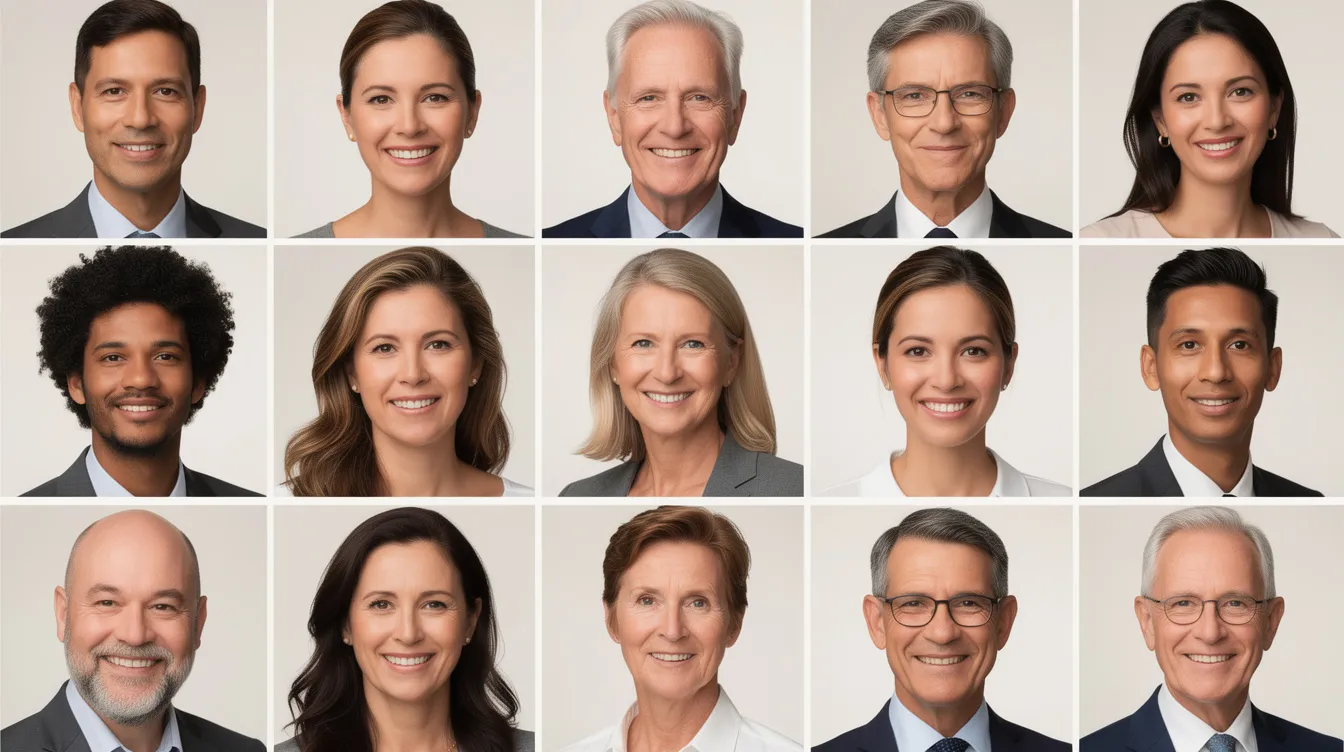
Step 5 (Days 5–7): Central review and approval. Collect all raw images and send them to a single editor for consistent editing. Standardize background removal and color correction to achieve cohesive imagery. Marketing or brand reviews the final image set for consistent headshot backgrounds, crops, and color grading before publishing to the website, intranet, and sales decks. This central review step is what transforms a batch of individual portraits into a unified brand asset.
Building Headshots Into Onboarding and Ongoing Operations
The biggest failure mode for remote team headshots is treating them as a one-off project instead of an ongoing operational process. Companies invest in a coordinating headshots push, publish polished team pages, and then watch the quality erode over six months as new hires join with blank profiles and departing employees leave ghost portraits behind.
Integrate headshots into new hire onboarding checklists so every new team member gets a session or AI upload link during their first week. This eliminates the accumulation of blank or outdated employee photo slots across internal directories and the company website. A great headshot taken during onboarding also means every person is camera-ready from day one.
Run a quarterly or semi-annual audit of the team page, CRM user photos, and internal directory to catch departures, promotions, and shifts in brand guidelines. When rebrands or mergers happen, capture or generate new headshots for all employees within a fixed 60-to-90-day window, use one defined style, and roll out changes to all external touchpoints simultaneously.
Well-documented headshot standards and a dedicated internal owner-often in marketing or people operations-are essential to maintain long-term brand consistency for distributed teams. Without that ownership, the standard drifts, and within a year the team page is back to looking like a patchwork.
Special Considerations for Specific Industries
While the core process for managing headshots is universal, certain sectors have expectations that influence how remote team headshots should be executed.
Law firms place enormous weight on credibility and gravitas. Attorney bio pages are often the most visited section of a law firm website, and a consistent brand presentation across partners and associates signals stability. Conservative headshot backgrounds (grey, navy, neutral), classic wardrobe choices (jackets, professional attire), and regular updates when attorneys change offices or practice groups are standard. A case study from Ogletree Deakins, a global law firm, showed that photography direction was a central component of their brand redesign, contributing to improved engagement with bio pages.
Healthcare providers need warm, approachable photos in provider directories and patient portals. The operational challenge is capturing clinicians who work shifts across multiple clinics. Virtual headshots work particularly well here: one case study documented a regional hospital system that needed consistent portraits for 280 physicians across four campuses. A virtual workflow delivered all headshots in 11 days at volume pricing, compared to an estimated five weeks and significantly higher cost for traditional on-site photography.
Venture-backed tech and SaaS companies tend toward more relaxed but still consistent headshots-clean backdrops, subtle color, natural expressions-for team pages, pitch decks, and investor relations sites. The first impression a candidate or investor gets from the team page can shape their perception of the company’s culture and operational maturity.
Professional services and consultancies face a version of the law firm challenge: clients often compare firms by their teams’ profiles. Globally consistent corporate headshots that balance professionalism with accessibility help these firms compete, especially when staff are spread across multiple cities.
Managing Headshots Across Time Zones, Cultures, and Work Styles
Most distributed teams now span North America, Europe, APAC, and Latin America, each with differing norms around attire, grooming, and professional presentation.
Rather than enforcing a rigid uniform, define a band of acceptable styles-business casual or above, no t-shirts with slogans-while using the same background, same crop, and same lighting direction to tie everyone together. This approach respects cultural differences while maintaining the visual consistency that matters on a team page or in marketing materials.
Some regions favor more formal poses or attire. Allow for small regional variants in clothing while maintaining brand-level consistency in framing and color. The branded backgrounds and lighting treatment are what create cohesion; wardrobe variation within defined parameters actually adds personality.
For live virtual headshots, offer multiple scheduling windows so that remote employees in different time zones can book sessions during their working hours. Ensure all instructions and booking pages show times in local time to avoid confusion. Translate prep materials into key languages and include visual examples so non-native English speakers understand expectations without ambiguity. The best virtual headshots come from sessions where employees feel comfortable, not confused.
How to Evaluate Remote Headshot Services and Tools
The market for virtual photography, self-service platforms, and AI headshot generators is crowded, and nearly all of them claim to deliver professional quality. Cutting through the noise requires focusing on a few core criteria.
Start with the quality of the final image. Ask for sample sets-not just one hero image, but a batch of 10 to 20 headshots produced for different people across different devices and locations. Look for consistent quality in lighting, color tone, and crop. Check whether the headshot edited output looks natural or overly smoothed.
Evaluate the admin experience: can you track progress across your team? Does the platform support bulk scheduling, reminders, and approval workflows for managing headshots at scale? Are there controls for setting brand guidelines like background color, crop format, and wardrobe recommendations?
Ask about retouching philosophy. Some providers aim for a natural, editorial look; others default to heavy skin smoothing that can make real headshots look synthetic. Understand how they ensure consistent headshot backgrounds and cropping across large teams, and how they handle reshoots or rejected images.
Before committing to a full rollout, run a small pilot with 5 to 10 employees across different locations and devices. Evaluate real-world results, participation rates, and feedback from camera-shy team members. This pilot will surface issues-poor lighting in certain home offices, device limitations, scheduling friction-that you can solve before scaling.
Check contract terms carefully: turnaround times, usage rights for corporate headshots, support for ongoing new hires, and whether pricing follows per-seat, per-headshot, or subscription models. A cost effective provider is not just the cheapest per image; it is the one that delivers studio quality headshots reliably without hidden coordination costs.
Remote Team Headshots and Brand Consistency in 2026 and Beyond
Remote work is permanent, and ad-hoc, office-day photography is obsolete for most companies. The virtual world has shifted how teams present themselves, and the organizations that adapt their visual identity workflows to match are the ones that project credibility to clients, partners, and candidates.
Consistent headshots are a small but visible pillar of brand consistency that influences perception before a single meeting or call. Combining clear visual standards with modern tooling-live virtual sessions, AI-assisted editing, and structured onboarding processes-removes the traditional headshot headache that has plagued HR and marketing teams for years.
The companies that treat remote team headshots as an operational process with an owner, a documented standard, and a repeatable workflow will maintain a complete overview of their visual brand. Those that treat it as a one-time project will find themselves back at square one within a year.
Take a look at your current team page. If the headshots look like they were taken in four different decades by four different photographers in four different cities, it is time for a unified approach. Start with a pilot, define your standard, and build headshots into your onboarding and brand operations from this point forward.

Frequently Asked Questions
The questions below cover specific, practical issues that often come up after companies decide to improve their headshots for remote teams. Each answer is aimed at marketing, HR, and operations leaders responsible for coordinating headshots across remote and distributed teams.
How often should we refresh remote team headshots?
Most companies refresh company headshots every two to three years, or when there is a major rebrand or website redesign. However, remote and fast-growing teams should audit photos at least twice a year to catch turnover, role changes, and outdated styles. Leadership and client-facing roles benefit from more frequent updates-particularly after significant appearance changes like a major haircut or new glasses-so that the employee photo in the directory matches the person on the video call. Fold refresh cycles into other planned activities like new brand guidelines, annual all-hands meetings, or website relaunches to reduce coordination overhead.
What if some team members really hate being photographed?
This is more common than most leaders expect, and it should not be dismissed. Live virtual headshots with experienced headshot photographers are the best option for nervous subjects: the photographer coaches the employee through simple pose and expression prompts, keeps the session short, and makes adjustments in real time so the person never feels stuck. Offer flexible scheduling windows and private, one-on-one sessions rather than group events, which can feel more intimidating. Share sample poses and a short prep checklist in advance so camera-shy employees know exactly what to expect. When someone knows the session takes about ten minutes and that professional retouching will handle minor imperfections, most of the anxiety disappears.
Can we use AI generated headshots for external-facing roles?
Policies vary significantly. Some companies and industries are comfortable with AI generated headshots as long as the output clearly resembles the real person, while others require that all external-facing photography comes from genuine captured images. In regulated sectors-finance, healthcare, government contracts-consult internal legal and compliance teams before standardizing on synthetic images for public profiles. A practical hybrid approach uses AI mainly for editing and background consistency on real photos, with fully AI generated headshots reserved for internal tools, avatars, or temporary placeholders until a real session can be scheduled. The key principle is that the person in the headshot should look like the person who shows up on the video call.
How do we handle contractors, freelancers, and short-term staff?
Define clear rules about who receives an official own headshot from the company. A reasonable threshold is any external-facing contractor expected to interact with clients for more than six months. Use the same workflow and style as full-time remote workers so that contractors’ photos do not stand out or dilute brand consistency on team pages and project sites. When contracts end, remove images from public pages and internal directories as part of offboarding checklists. This protects both the company’s brand and the contractor’s likeness.
What technical requirements should we communicate to employees before remote sessions?
Keep the requirements simple and specific. Employees need a smartphone from the last four to five years (most modern smartphones capture at 48-200 megapixels, which is more than sufficient), a stable internet connection, a quiet room, and access to natural window light or a simple lamp for fill light. Advise them to clean their camera lens, disable background-blur filters, and silence notifications for the duration of the session. Provide one simple page of visual examples showing recommended framing, headroom, and posture so participants can set up quickly and spend the session focused on expressions rather than troubleshooting. Studio quality results from a home setup are achievable when the basics are communicated clearly.